
spacemic plugin, version 1.x
2026-07-07
Starting in autumn 2026, the software for the spacemic will be replaced, resulting in a simpler, more flexible workflow and higher quality audio. The new plugin is currently in beta. For information about the currently stable software, version 0.9.x, please refer to the user manual.
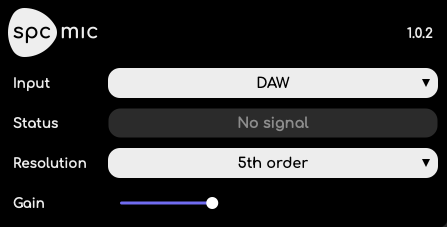
The plugin is available in these formats:
- AU
- AAX
- VST3
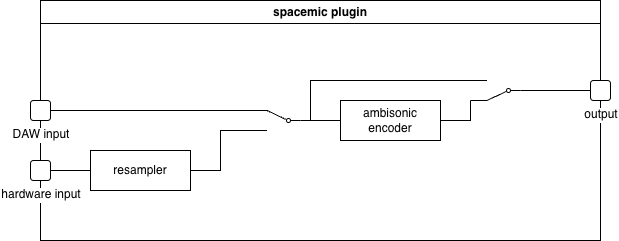
The plugin has two inputs:
- DAW input
- Hardware input
Only one of these is used at any time. The purpose of the hardware input is to allow the signal from the spacemic to be used in the same mix as other spacemics or another audio interface serving as the DAW’s main audio interface. Also, not all DAWs support audio tracks with 84 channels, in which case the raw signal cannot be processed by the DAW and only the plugin’s hardware input can be used.
The resampler is necessary because different audio interfaces may use different sampling clocks, which drift relative to each other. The resampler corrects for clock drift so the signals can be combined.
Example: Raw recording
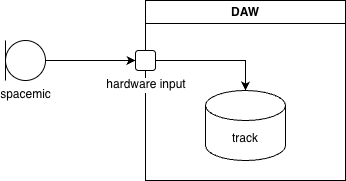
To record the raw signal from a single spacemic, with no monitoring or other audio sources, simply select the spacemic as the DAW’s primary input audio device and record to an 84 channel track, no plugin needed. Note that this requires a DAW which supports 84 channel tracks.
Example: Ambisonic recording + monitoring
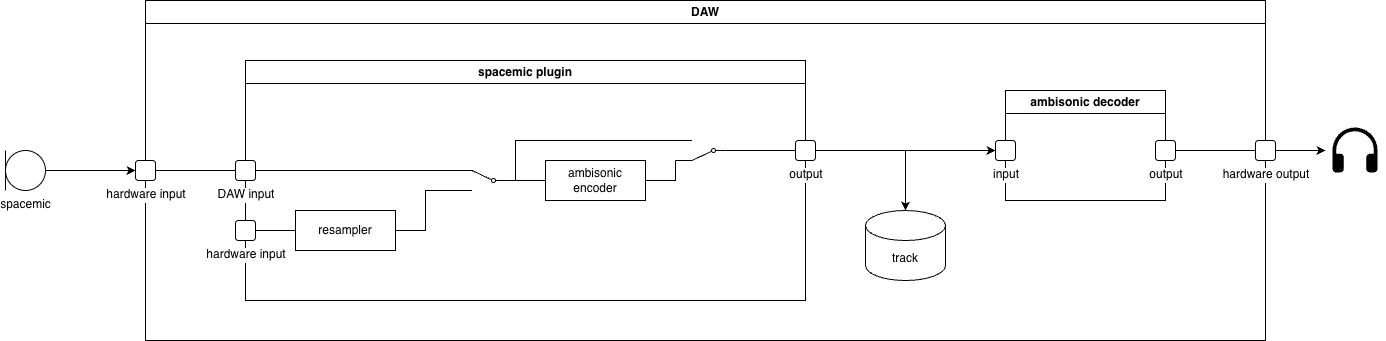
To record an ambisonic signal while monitoring in real time,
- select the spacemic as the DAW’s primary input audio device
- insert a spacemic plugin on an 84 channel track or bus
- select “DAW” as the plugin’s input
- record the output of the plugin on a 36 channel track (or fewer, depending on the resolution)
- send the output of the plugin to an ambisonic decoder (3rd party)
- send the output of the decoder to a hardware output.
If your DAW does not support 84 channel tracks, select another audio interface as the DAW’s primary input and use the plugin’s hardware input.
Example: Ambisonic recording + spot mic
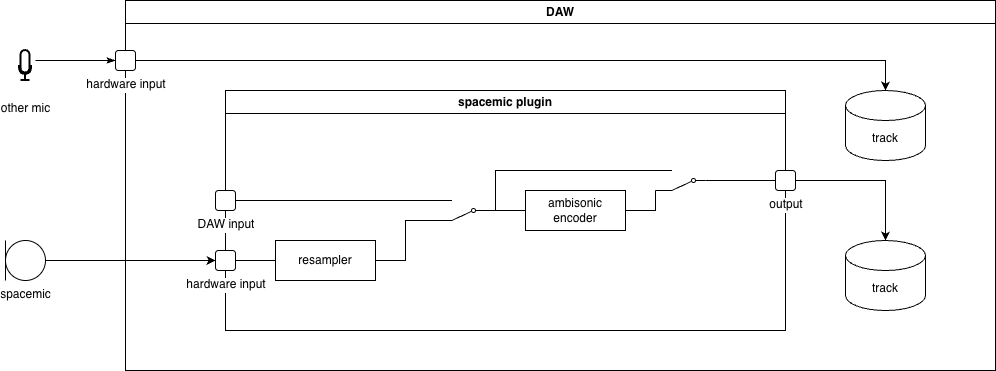
To combine a spacemic with other microphones in the same mix, you should
- select the audio interface of the other microphones as the DAW’s primary audio input
- select the spacemic as the spacemic plugin’s input
- record the primary audio interface to a track
- record the spacemic plugin’s output to another track
Example: Play back raw recording
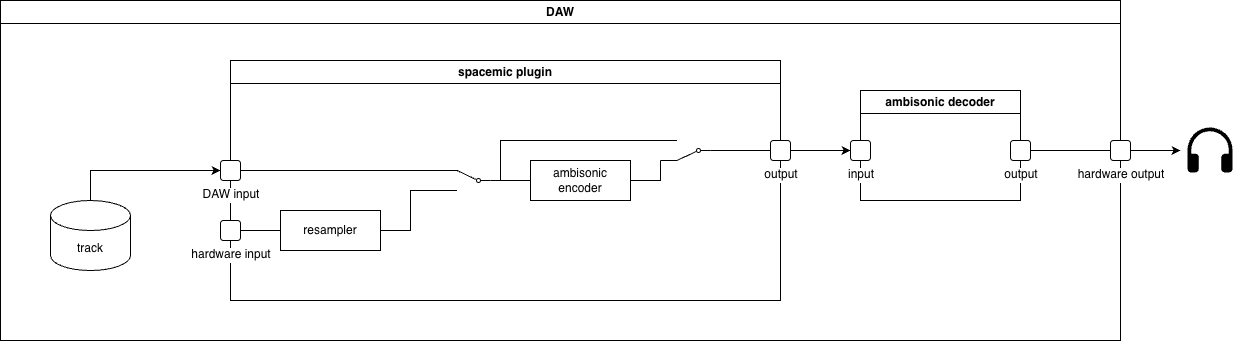
To play back a raw recording,
- insert the recording on an 84 channel track
- insert a spacemic plugin on that track
- select “DAW” input in the spacemic plugin
- insert an ambisonic decoder on the track (3rd party)
- send the output of the track to a hardware output
This requires a DAW which supports 84 channel tracks and plugins
Example: Play back ambisonic recording
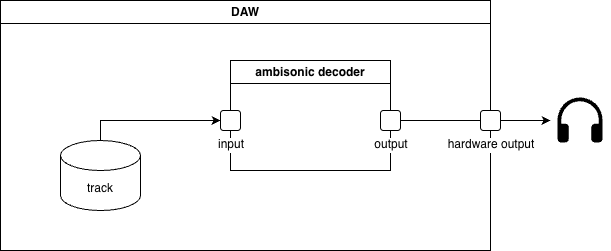
To play back an ambisonic recording,
- insert the recording on a 36 channel track (or fewer, depending on resolution)
- insert an ambisonic decoder on the track (3rd party)
- send the output of the track to a hardware output